

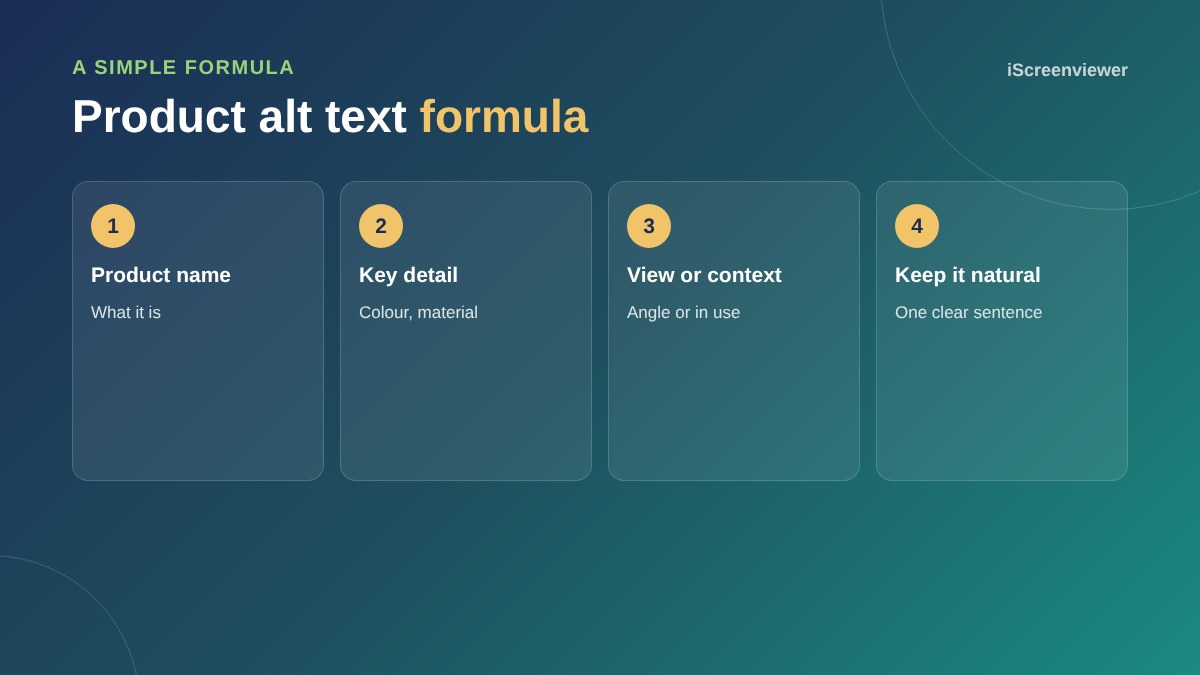
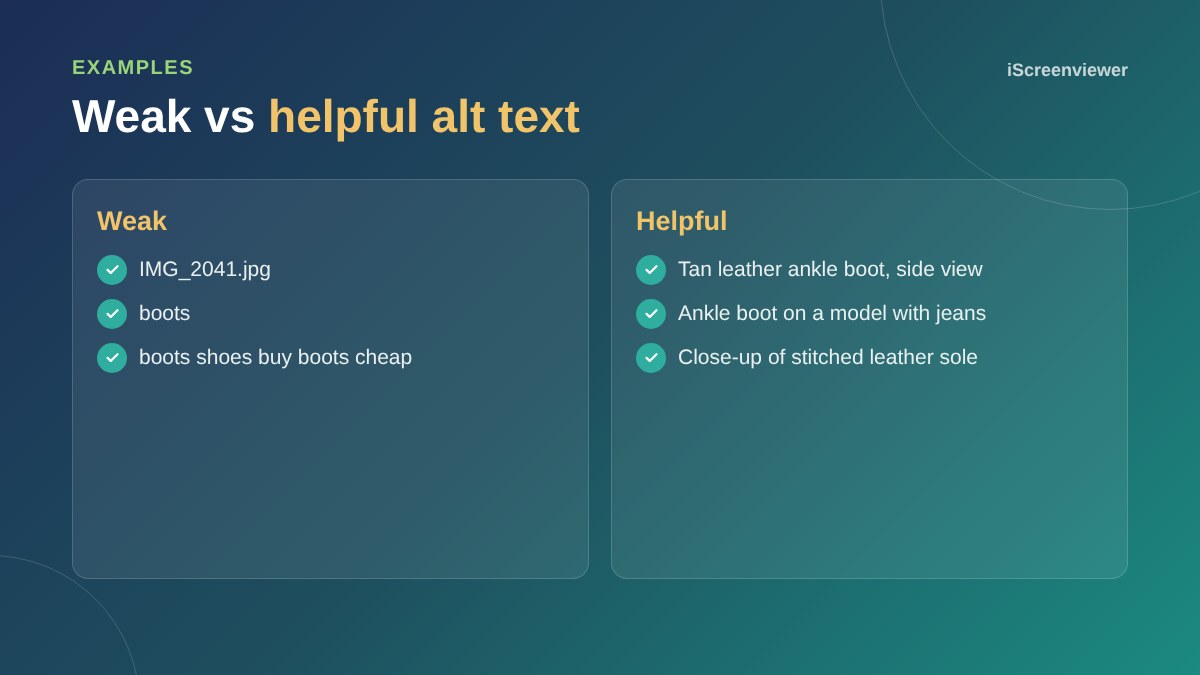
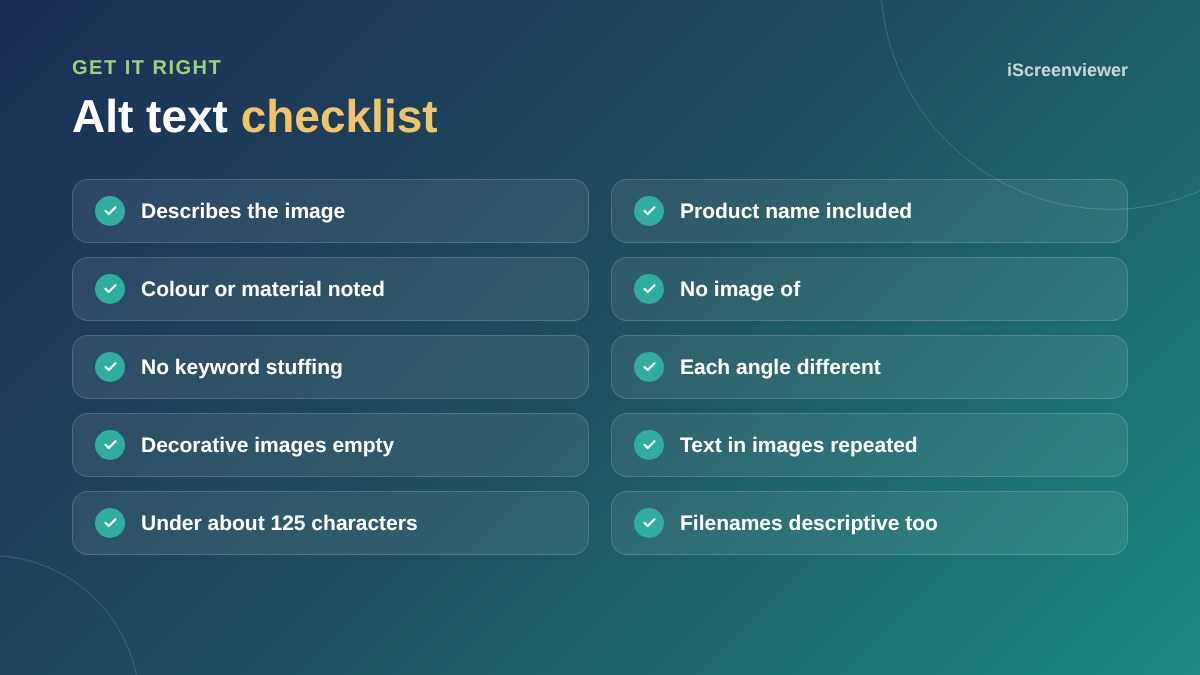
Alt text describes an image for people using screen readers and for search engines. For a product photo, describe what the image shows in one natural sentence: the product name, a key detail such as colour or material, and the view or context, for example Tan leather ankle boot, side view. Do not start with image of and do not stuff keywords.
Why alt text matters
Alt text makes your store accessible to people with vision impairments, it helps images appear in Google Images, and it gives search engines and AI tools more context about your products.
Describe each image differently
If a product has six photos, each alt text should describe that specific photo: front, back, detail, in use. Copying the product name into every image wastes the opportunity.
Decorative images
Background patterns and purely decorative images should have empty alt text so screen readers skip them.
Images with text
If an image contains words, such as a sale banner, include those words in the alt text.
Where to edit alt text
- Shopify: open the product, click an image and add alt text
- WooCommerce: edit the image in the Media Library or from the product's image panel
- Bulk changes: export, edit and re-import, or use an app or plugin built for alt text
For the rest of the product page, see how to write product descriptions.
Alt text and filenames
Rename image files before uploading them. A filename such as tan-leather-ankle-boot-side.jpg is more useful than IMG_2041.jpg, and it gives search engines one more clue about the image. Use lowercase words separated by hyphens.
Alt text for category banners and lifestyle images
Lifestyle images show products in use, so describe the scene briefly, for example Ankle boots worn with denim on a city street. For banners with promotional text, include the offer in the alt text so screen reader users get the same message as everyone else.
Make it part of your process
The easiest way to keep alt text complete is to write it when you add each product, using the same simple formula. Then check your store every few months for images with missing alt text, especially after bulk imports.
Want alt text done for your whole store?
Alt text is included in the Product Listing and SEO Batch.
Frequently asked questions
What is alt text?
A short text description of an image, read by screen readers and used by search engines.
How long should alt text be?
Usually one sentence, roughly under 125 characters.
Should alt text include keywords?
Include the product name naturally. Do not stuff extra keywords.
Do decorative images need alt text?
No. Give them empty alt text so screen readers skip them.
Does alt text help SEO?
Yes. It helps images rank in Google Images and adds context to product pages.
Should every product image have different alt text?
Yes. Describe what each image specifically shows.