

Free Google Shopping listings let your products appear in the Shopping tab, Google Search, Google Images and other Google surfaces without paying per click. To get them, set up Google Merchant Center, verify your website, add shipping and returns details, sync your products and make sure free listings are switched on. Google then shows your products when they are relevant to a search.
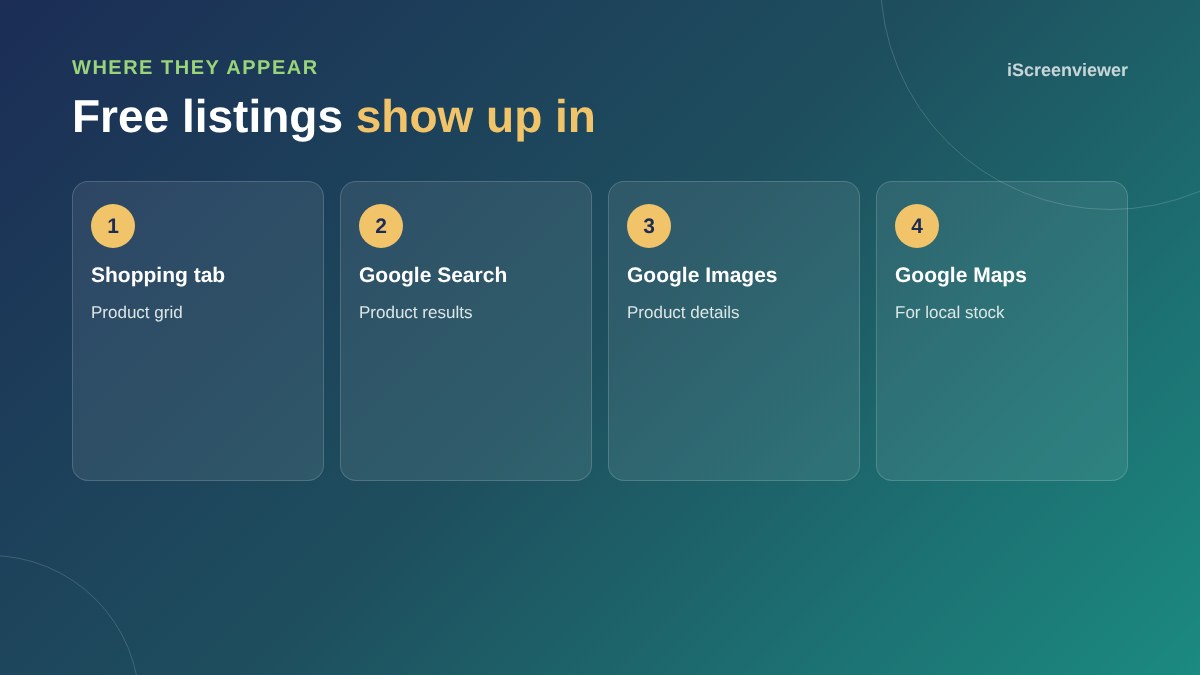
How free listings work
Google introduced free product listings so that shoppers see more products and stores. Your products compete on relevance and quality, not budget. Clear titles, accurate prices, good images and strong store information all help.
Free listings vs Shopping ads
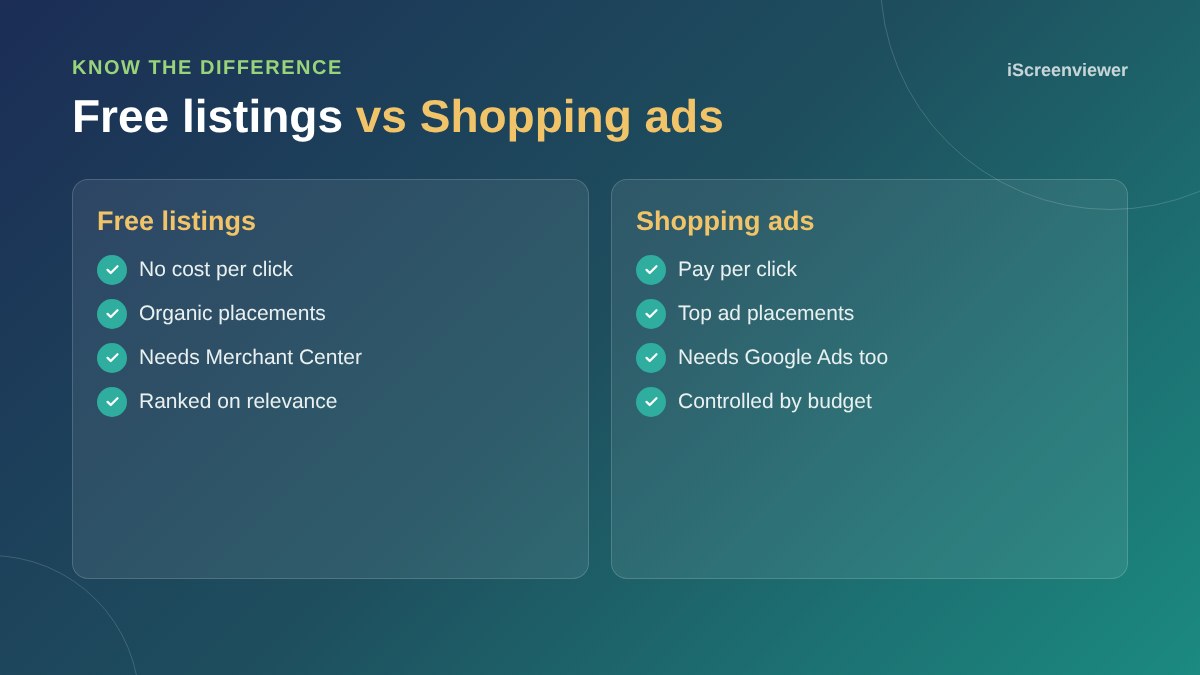
Shopping ads appear in paid positions and you pay when someone clicks. Free listings appear in organic positions. Many stores start with free listings, learn which products get attention, then add ads for their best sellers.
How to get your products listed
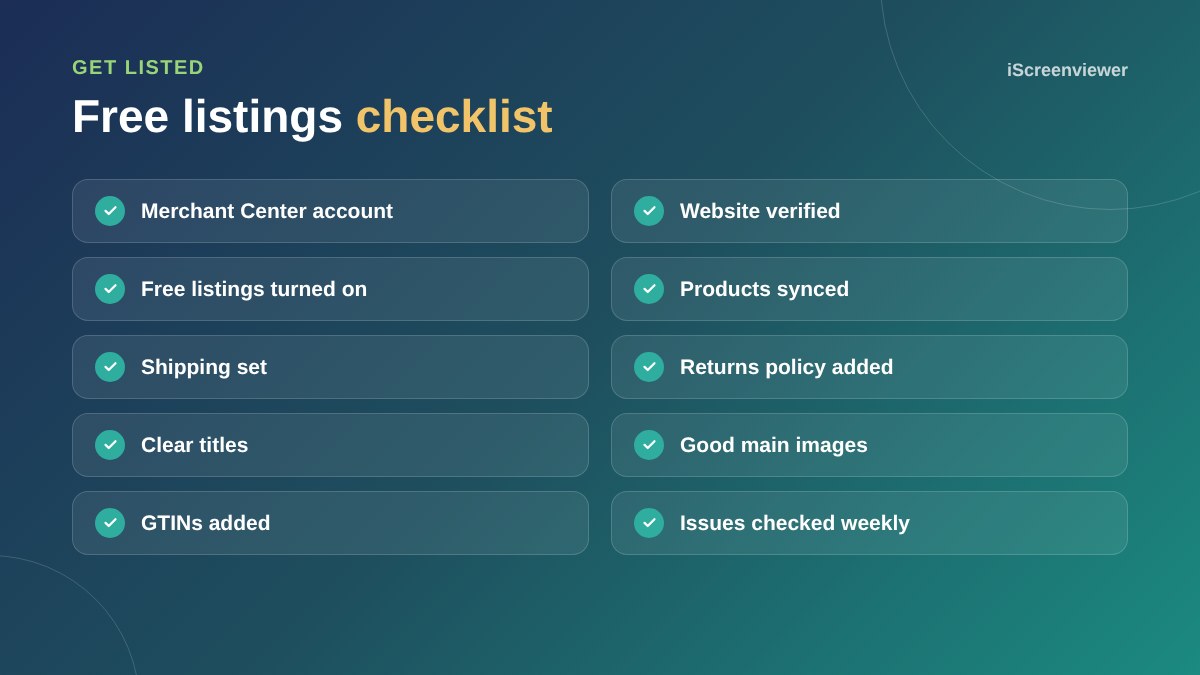
- Create a Google Merchant Center account
- Verify and claim your website
- Add shipping and returns information
- Connect Shopify with the Google and YouTube app, or WooCommerce with Google for WooCommerce
- Make sure free listings are enabled
- Fix any issues Google reports
The Google Merchant Center setup guide walks through each step.
How to stand out
- Write product titles that lead with what the product is, then brand and key details
- Use a clean main image and add extra angles
- Include GTINs for branded products
- Show competitive shipping and a clear returns policy
- Keep stock and prices in sync
Track your results
Merchant Center's performance reports show clicks and impressions from free listings. In Google Analytics, free listing traffic usually appears as organic shopping. Use this to see which products attract interest.
If products are disapproved, see how to fix disapproved products in Merchant Center.
Product titles that win free clicks
Free listings rank on relevance, so your product title does most of the work. Lead with the product type, then add brand, model, size, colour or material. For example, Leather Ankle Boots Women's Tan by Brand Name matches far more searches than a creative name like The Harper. You can keep the creative name on your website and use a clearer title in your feed if your feed tool allows it.
Local inventory
If you have a physical shop, local inventory listings can show nearby shoppers that a product is in stock at your store. This needs extra setup in Merchant Center and your Google Business Profile, but it can bring in walk-in customers who searched online first.
When to add Shopping ads
Once free listings are running, look at which products get impressions and clicks. If some products sell well and have healthy margins, Shopping or Performance Max campaigns can put them in front of more people. Start small, track sales carefully and scale what works.
Want your products listed for free?
The Google Merchant Center Setup and Optimisation package sets up free listings and fixes any issues.
Frequently asked questions
Are Google Shopping listings really free?
Yes. Free listings have no cost per click. You only pay if you choose to run Shopping ads.
Where do free listings appear?
In the Shopping tab, Google Search, Google Images and other Google surfaces.
Do I need Google Ads for free listings?
No. You only need Google Merchant Center.
How long until my products appear?
Usually within a few days of your products being approved.
Can Shopify and WooCommerce stores use free listings?
Yes. Both connect to Merchant Center through free apps or plugins.
Why are my products not showing in free listings?
Check Merchant Center for disapprovals, make sure free listings are enabled and confirm your website is verified.