

You know your website needs work. Maybe you need a new site, your Shopify store is not selling, or something is broken. But when it comes to explaining it to a web developer, it is hard to know where to start.
A clear brief makes a big difference. It helps a developer understand the job quickly, recommend the right approach and give you an accurate quote, instead of a vague estimate that changes halfway through the project.
The good news is that you do not need technical knowledge to write a good brief. You only need to answer six simple questions. They are the same six steps in the iScreenviewer Start a Project form, so once you have read this guide, you will have everything ready to send.
Why a good website brief matters
When a brief is unclear, a few things tend to happen:
- Quotes come back with wide price ranges or lots of assumptions.
- The project takes longer because key details are discovered late.
- Extra costs appear when the job turns out to be bigger than expected.
- You spend time in meetings explaining things that could have been written down.
A clear brief avoids most of this. It gives the developer enough context to ask the right questions early and quote with confidence.
1. What do you need help with?
Start with the type of work. It does not need to be precise, and many projects involve more than one thing. Common examples include:
- A new website or a redesign of your current one
- Shopify store setup or improvements
- WordPress or WooCommerce work
- SEO and Google rankings
- Analytics and conversion tracking
- Sale setup for Black Friday, Christmas or Boxing Day
- Product listings and descriptions
- Website fixes or speed improvements
- Ongoing support and maintenance
If you are not sure what to call it, describe the problem instead. For example, "customers are leaving at checkout" or "my contact form stopped sending emails" is a perfectly good starting point.
2. Where is your project right now?
The stage your project is at changes the advice you need. Let the developer know which of these sounds most like you:
- Just an idea. Nothing is built yet, and you need help planning.
- Planning and ready to choose a developer. You know roughly what you want and are comparing options.
- Live and needs improvements. Your website works, but it needs updates or new features.
- Live but not getting results. People are not finding it, enquiring or buying.
- Something is broken. It needs fixing now.
If your site is live, include the web address. A developer can learn a lot from a quick look before replying.
3. What platform is your website on?
Your platform affects what is possible, how long the work takes and what it costs. The most common platforms for Australian small businesses are:
- Shopify for online stores
- WordPress, often with WooCommerce for selling online
- Umbraco for larger, content-driven websites
- Wix or Squarespace for simple sites built with a website builder
If you do not know, or you do not have a website yet, just say so. Describe what the website needs to do, such as sell products, take bookings or publish articles, and the developer can recommend a platform.
4. What do you want the project to achieve?
This is the most important part of any brief, and the one most often left out. A website is a tool for your business, so explain what you want it to do. For example:
- More online sales
- More enquiries or bookings
- Higher rankings in Google
- Being ready for a sale or launch date
- Looking more professional and trustworthy
- Fixing problems and improving speed
- Understanding what your website data is telling you
It also helps to describe what success would look like. "Double our enquiries from Google" or "launch before our Boxing Day sale" gives a developer something specific to work towards.
A brief that explains the goal, not just the task, almost always leads to better advice. Sometimes the best solution is smaller and cheaper than what you first asked for.
5. What is your budget and timing?
Many people avoid mentioning budget, but sharing a rough range helps you get a realistic recommendation. It allows a developer to suggest what can be done well within that range, instead of quoting for something that does not fit.
As a guide, smaller, clearly defined jobs can cost a few hundred dollars. At iScreenviewer, for example, a WordPress Quick Fix is $199, an SEO and Analytics Health Check is $399 and a landing page starts at $600. New websites, store builds and redesigns usually need a custom quote based on the scope. If you are not sure what to budget, say so and ask for advice.
For timing, let the developer know if you have a hard deadline, such as a product launch, an event or a seasonal sale. Seasonal work needs to be booked early. For example, Black Friday changes need to be live before the sale starts, not on the day.
6. What are the project details?
This is where you add anything else that will help. You do not need to write pages. A few short points are enough:
- Websites you like, and what you like about them
- Features you need, such as online booking, a members area or product filters
- Whether your content, images and logo are ready
- Any problems you have had with your current website
- Who else needs to approve the work
Finally, your contact details
Include your name, email, business name and the best way to reach you. If you prefer phone over email, or the other way around, say so. It speeds up the conversation.
A simple website brief checklist
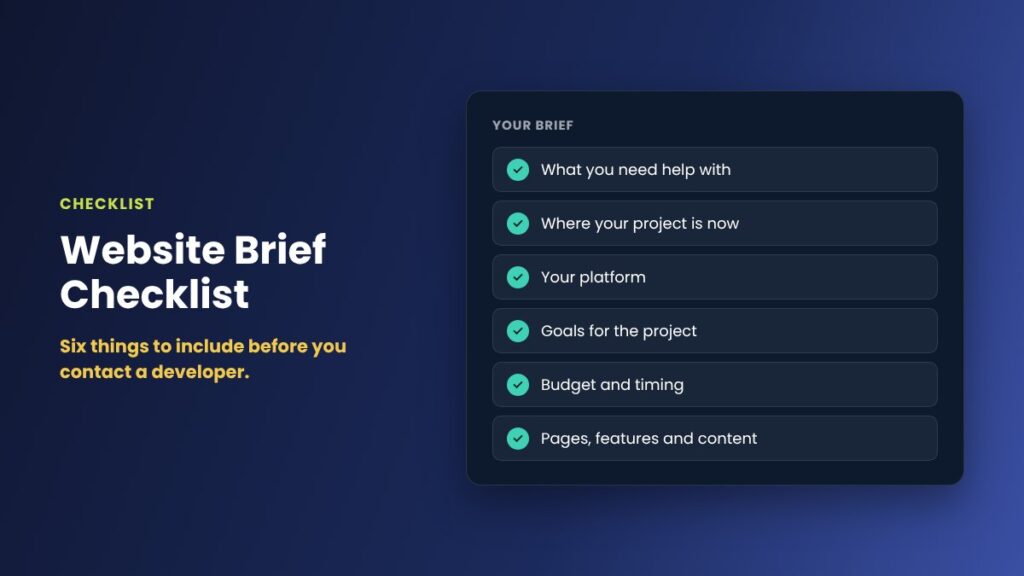
Before you send your brief, check that you have covered these points:
- What you need help with
- Where your project is right now
- Your platform, or that you are not sure
- What you want the project to achieve
- Your budget range and any deadline
- Key details, examples and features
- Your contact details and preferred contact method
Common mistakes to avoid
- Only describing the task. "Add a banner" is less useful than "promote our Black Friday sale so more people buy".
- Leaving out the budget. Without it, quotes are harder to compare and may not fit what you can spend.
- Forgetting the deadline. A launch date changes how a project is planned.
- Waiting until everything is perfect. A short brief sent today is better than a detailed one sent next month.
What happens after you send your brief
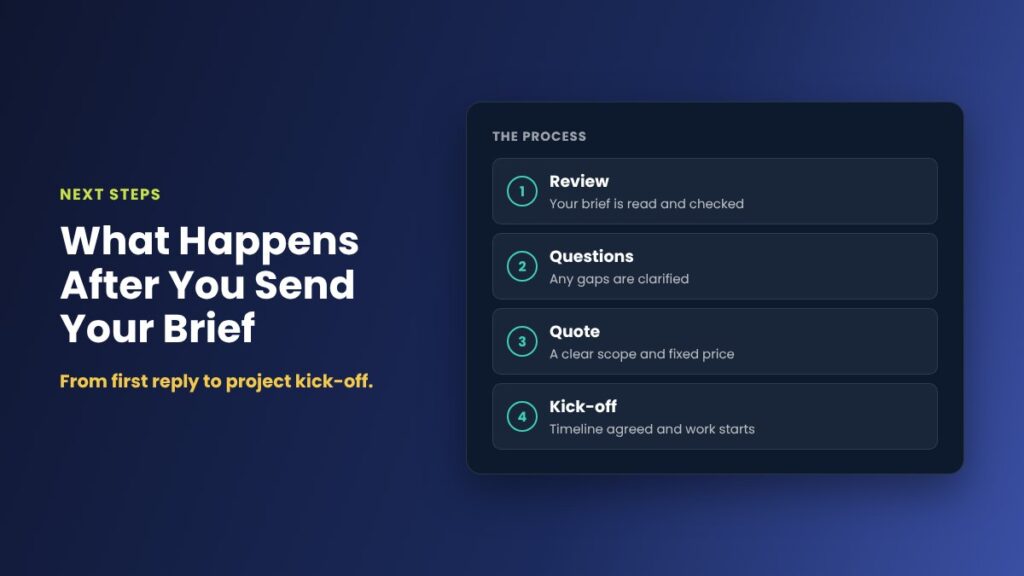
When you use the Start a Project form, I review your answers and your website, if you have one, and reply within one business day. If anything is unclear, I ask a few questions by email or phone. Then I send you honest advice and, where it makes sense, a clear fixed quote with the scope, price and timeframe.
No work starts until you approve the quote, and there is no obligation to go ahead. If your job matches one of my fixed-price packages, you can also see how ordering a package works.
Ready to start your project?
The Start a Project form walks you through these six questions one step at a time. It takes about two minutes, and you do not need any technical knowledge.
Frequently asked questions
How long should a website brief be?
A useful brief can be a few short paragraphs. What matters is that it covers what you need, where your project is now, your platform, your goals, your budget and timing, and any key details such as deadlines or features. A developer can ask follow-up questions for the rest.
Do I need to know my budget before contacting a web developer?
It helps, even if it is only a rough range. A budget range lets the developer recommend an approach that fits, instead of quoting for something you cannot use. If you are unsure, say so and ask for advice on what different budgets can realistically achieve.
What if I do not know which platform my website should use?
That is fine. Describe what the website needs to do, such as selling products, taking bookings or publishing content, and a developer can recommend the right platform. Shopify suits most online stores, WordPress suits most business websites and Umbraco suits larger content-driven sites.
How quickly will I get a quote?
When you send a brief through the iScreenviewer Start a Project form, I reply within one business day. Simple jobs can often be quoted straight away, while larger projects may need a short chat first.
Can I send a brief if something on my website is broken right now?
Yes. Choose "Something is broken and needs fixing now" in the form and describe the problem. Small, clearly defined WordPress issues can often be handled through the fixed-price WordPress Quick Fix.
Is there any obligation after I send a brief?
No. Sending a brief only starts the conversation. You receive advice and, where it makes sense, a clear fixed quote. No work starts until you approve it.