


Most website problems start before a single line of code is written. A homepage that tries to say everything, a contact form buried three clicks deep, a checkout that loses people on mobile. These issues are rarely about design taste. They come from skipping the planning stage.
UX/UI design is that planning stage. It maps out how your customers move through the site, then shapes how each page looks, so the build is faster and the finished website actually does its job. This guide explains what UX and UI mean, what wireframes and clickable prototypes are, and how a small business can use them without a big agency budget.
What is UX/UI design?
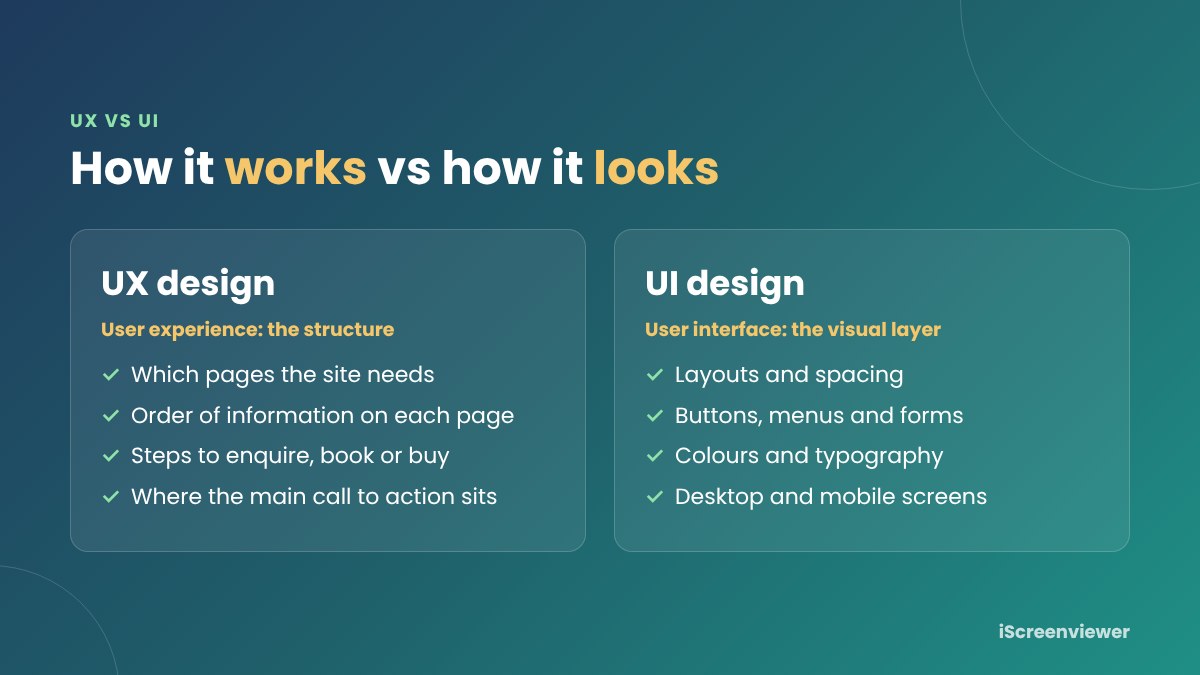
UX/UI design is the process of planning how a website works (UX) and how it looks (UI) before it is built. UX stands for user experience and UI stands for user interface. They are related but different:
- UX design covers the structure: which pages you need, what goes on each page, the order of information and the steps a visitor takes to enquire, book or buy.
- UI design covers the visual layer: layouts, buttons, menus, forms, colours, type and spacing, on desktop and mobile.
A simple way to think about it: UX decides that the booking button belongs at the top of the page. UI decides what that button looks like.
Why UX/UI matters for small business websites
Small business sites usually have one main job: turn visitors into enquiries, bookings or sales. Good UX/UI design helps that happen by:
- Making your services, prices and contact details easy to find
- Removing extra steps from forms and checkouts
- Making sure the site works properly on mobile, where most visitors arrive
- Giving Google and AI search tools a clear structure to understand your pages
- Catching problems on paper, when changes are quick and cheap, instead of after the build
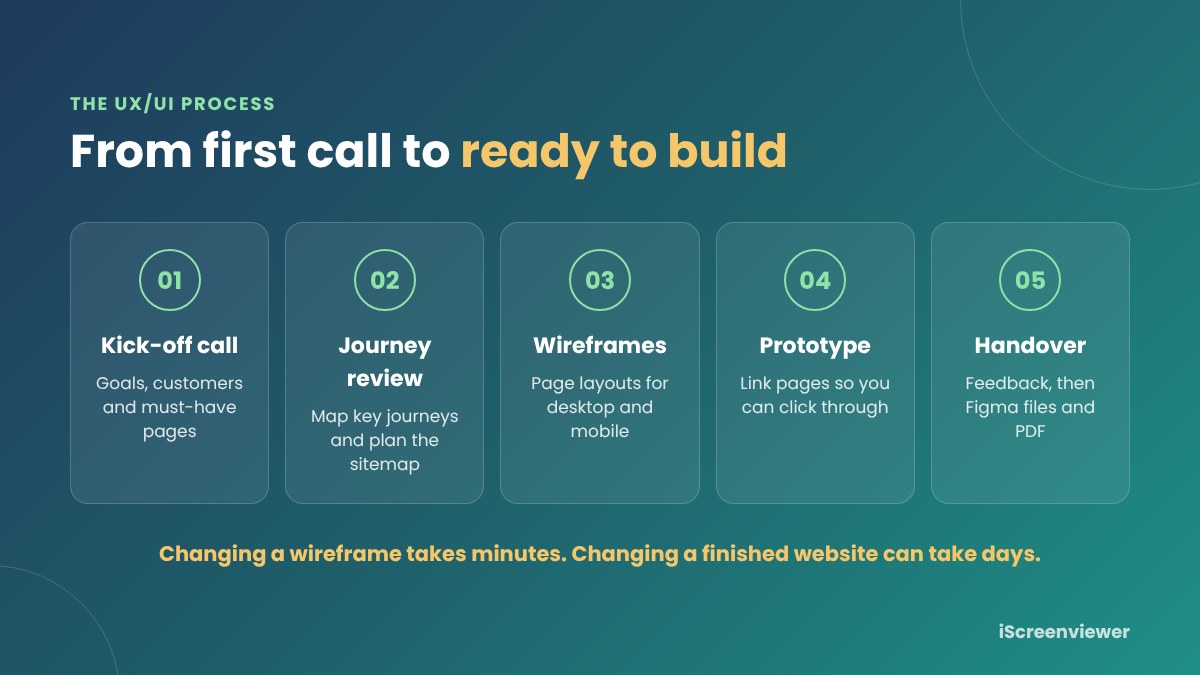
Changing a wireframe takes minutes. Changing a finished website can take days. Planning first is the cheapest way to get the site right.
The three parts of UX/UI design
A typical small business UX/UI project has three stages. You can stop after any of them, depending on the size of the project.
1. User journey review
A user journey is the path a customer takes from landing on your site to doing what you want them to do. A journey review looks at who your customers are, what they need to know, and where they drop off today. For an existing site, this often uncovers quick wins such as a hidden phone number or a form with too many fields.
2. Wireframes
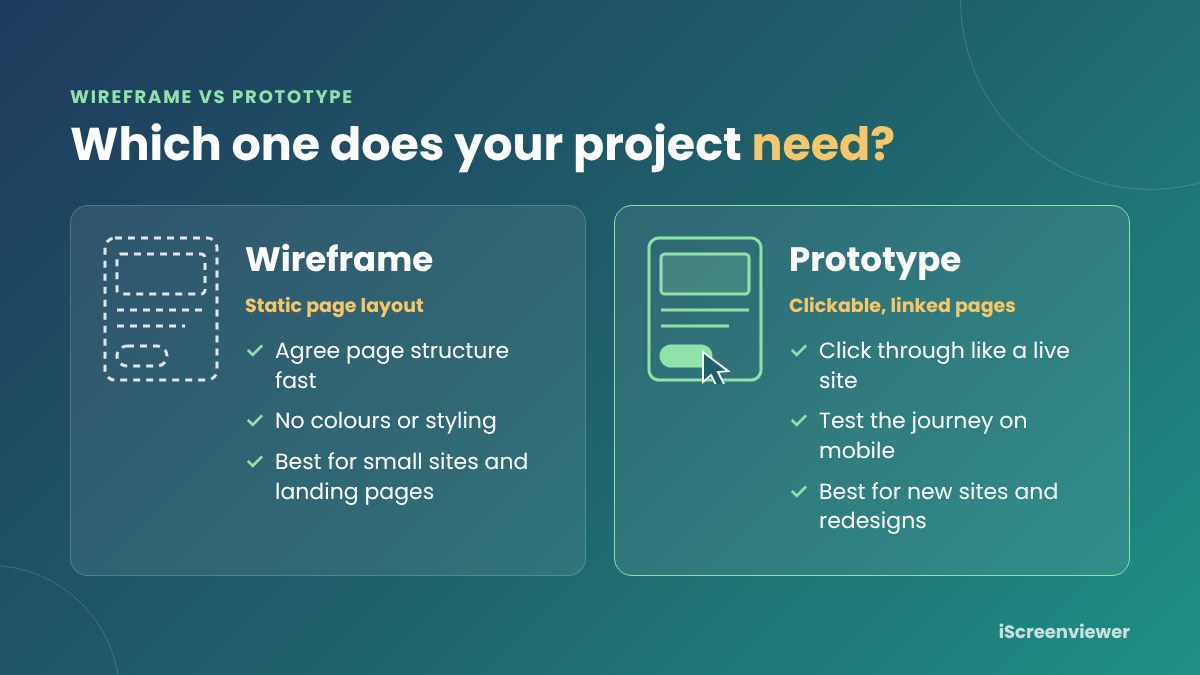
A wireframe is a simple black and white layout of a page. It shows where headings, text, images, buttons and forms go, without final colours or styling. Wireframes let you agree on the structure of each page quickly, before anyone spends time on detailed design or development.
3. Clickable prototype
A clickable prototype links the page designs together, usually in Figma, so you can click through menus and buttons as if the site were live. You can open it on your phone, show it to your team and test the journey. It is the closest thing to a finished website without building one.
See the UX/UI design packages →
Wireframe vs prototype: which do you need?
It depends on the size of the project and how many people need to sign off:
- Wireframes only suit small sites, a single new section or a landing page, where you mainly need to agree on page structure.
- A clickable prototype suits new websites and redesigns, especially when several people need to approve the design or you want to test the journey on mobile.
- A complete UX package suits eCommerce stores and larger sites, where a full journey review and more pages make a bigger difference to sales.
How the UX/UI process works
Here is how a UX/UI project usually runs with iScreenviewer:
- Kick-off call. We talk about your business, your customers and what the site needs to achieve.
- Journey review and sitemap. I map the key journeys and plan which pages you need.
- Wireframes. Page layouts are designed for desktop and mobile.
- Clickable prototype. The pages are linked so you can click through the site.
- Feedback and handover. You review, request changes and receive the final Figma files and a PDF, ready for the build.
How to prepare for a UX/UI project
You do not need any design knowledge. A little preparation makes the kick-off call more useful:
- List the main things customers ask you before they buy or book
- Note 2 or 3 websites you like, and what you like about them
- Decide the one action you most want visitors to take
- Gather any analytics or customer feedback about your current site
- Have your logo and brand colours ready, if you have them
If you are not sure where to start, the guide on how to brief a web developer walks through the questions to answer first.
Common UX mistakes on small business websites
- No clear call to action, or too many competing ones
- Important details such as prices, location or opening hours hidden on inner pages
- Long forms that ask for more than you need
- Menus with vague labels like "Solutions" instead of plain service names
- Desktop-first layouts that are hard to use on a phone
- Slow pages caused by large images and too many sliders
How much does UX/UI design cost?
Agency UX projects can run into many thousands of dollars, but small business sites rarely need that much. iScreenviewer offers fixed-price UX/UI design packages:
- Wireframes (A$490): journey review, sitemap and wireframes for up to 5 pages
- Clickable Prototype (A$890): everything in Wireframes, plus a clickable Figma prototype and 2 rounds of revisions
- Complete UX (A$1,490): full journey review with recommendations, up to 10 pages and a polished clickable prototype
Prices are in AUD, with GST included for Australian customers. The designs work with any platform, so you can build on WordPress, WooCommerce, Shopify or Umbraco.
Ready to plan your website?
A few days of UX/UI planning can save weeks of rework and give you a site that is easier to use and better at turning visitors into customers. Choose a package and I will be in touch within one business day, or start a project brief if you need the site built as well.
Frequently asked questions
What is UX/UI design for a website?
UX (user experience) design plans how a website works: which pages it needs, what order information appears in and the steps a visitor takes to enquire or buy. UI (user interface) design is how it looks: layouts, buttons, colours and type. Together they make a site that is easy to use and looks professional.
Do small business websites really need UX design?
Yes, even a five page site benefits. A short UX phase makes sure the most important information and the main call to action are easy to find, which leads to more enquiries and sales. It also prevents costly changes once the site is built.
What is the difference between a wireframe and a prototype?
A wireframe is a simple, static layout of a page that shows where content, images and buttons go. A clickable prototype links those pages together so you can click through the site as if it were live, which makes it easier to test the journey and get feedback.
How much does UX/UI design cost in Australia?
It depends on the number of pages and how detailed the prototype is. iScreenviewer offers fixed-price packages: Wireframes from A$490, Clickable Prototype for A$890 and Complete UX for A$1,490 with up to 10 pages.
How long does the UX/UI design stage take?
For most small business sites, wireframes take around 5 business days and a clickable prototype takes 1 to 3 weeks, depending on the number of pages and how quickly feedback comes back.
Can I use the designs with a different developer or platform?
Yes. Wireframes and prototypes are platform-neutral, so any developer can build from them on WordPress, WooCommerce, Shopify, Umbraco or another platform.