

GA4 ecommerce tracking records what shoppers do in your store: viewing products, adding to cart, starting checkout and purchasing, with product names, prices and revenue. On Shopify, the easiest setup is the Google and YouTube app. On WooCommerce, use Google for WooCommerce or Google Tag Manager with ecommerce events. Then test with DebugView and check that GA4 revenue matches your real orders.
Why ecommerce tracking matters
Without it, GA4 shows visitors but not sales. With it, you can see which channels, campaigns and products bring revenue, and where shoppers drop out of your funnel.
Shopify
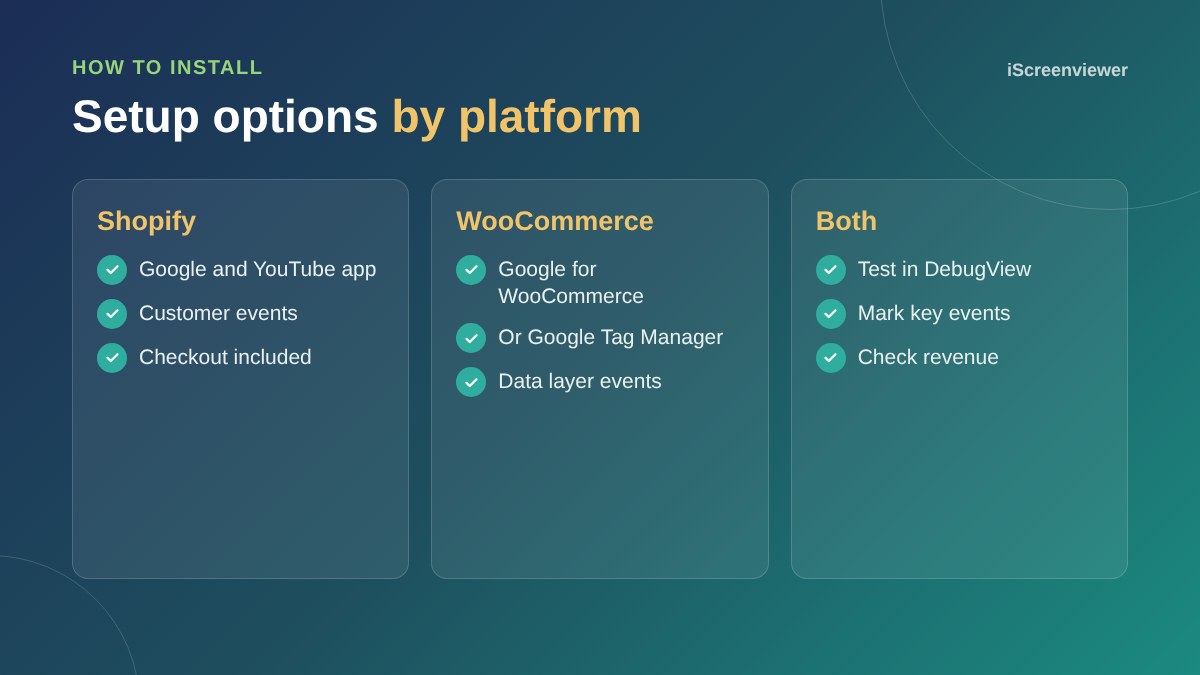
Install the Google and YouTube app, connect your Google account and GA4 property, and Shopify sends the standard ecommerce events, including checkout and purchase. Avoid also pasting a GA4 tag into your theme, or events can be counted twice.
WooCommerce
Google for WooCommerce can send GA4 ecommerce events. For more control, use Google Tag Manager with a plugin that pushes ecommerce data to the data layer, then GA4 event tags in Tag Manager.
Test with DebugView
Turn on debug mode, browse your store and place a test order. In GA4's DebugView, check each event appears once with item names, prices and the right currency.
Mark purchases as a key event
In GA4, mark purchase as a key event, which is GA4's name for a conversion, and import it into Google Ads if you advertise.
Common mistakes
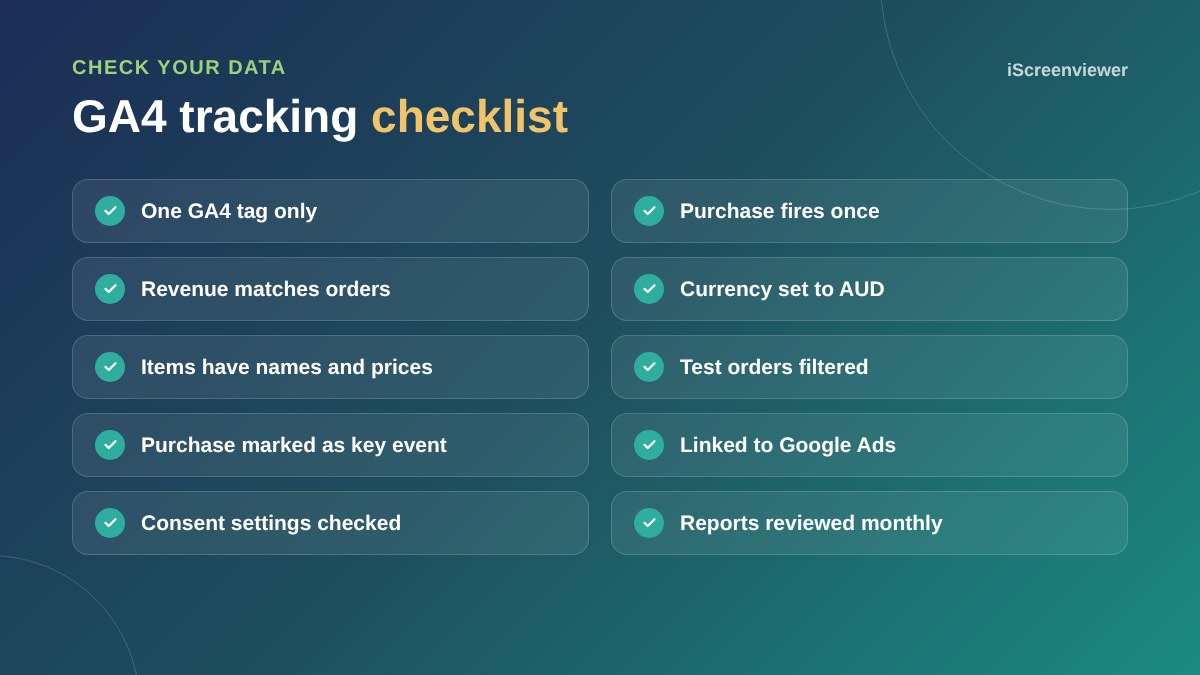
- Two tags installed, doubling every event
- Purchase firing again when the thank you page is reloaded
- Revenue including or excluding GST inconsistently
- Test orders left in reports
- Currency not set to AUD
For the basics, see the Google Analytics and Search Console setup guide.
Reports to check each month
- Ecommerce purchases: which products sell and how often they are viewed before buying
- Traffic acquisition: which channels bring revenue, not just visits
- Funnel exploration: where shoppers drop out between product, cart, checkout and purchase
- Landing pages: which pages start the sessions that lead to sales
Consent and privacy
If you use a cookie banner, check how it affects tracking. Some setups block GA4 until visitors accept, which lowers the numbers you see. Make sure your privacy policy explains what you collect, and use consent settings that suit your audience and legal obligations.
Use UTM tags for campaigns
Add UTM parameters to links in emails, social posts and ads, so GA4 can tell which campaign brought each sale. Keep the naming consistent, such as utm_source=newsletter and utm_campaign=black-friday, so reports stay tidy.
Want tracking set up properly?
The GA4, Google Tag Manager and Conversion Tracking package sets up and tests ecommerce tracking end to end.
Frequently asked questions
What ecommerce events does GA4 need?
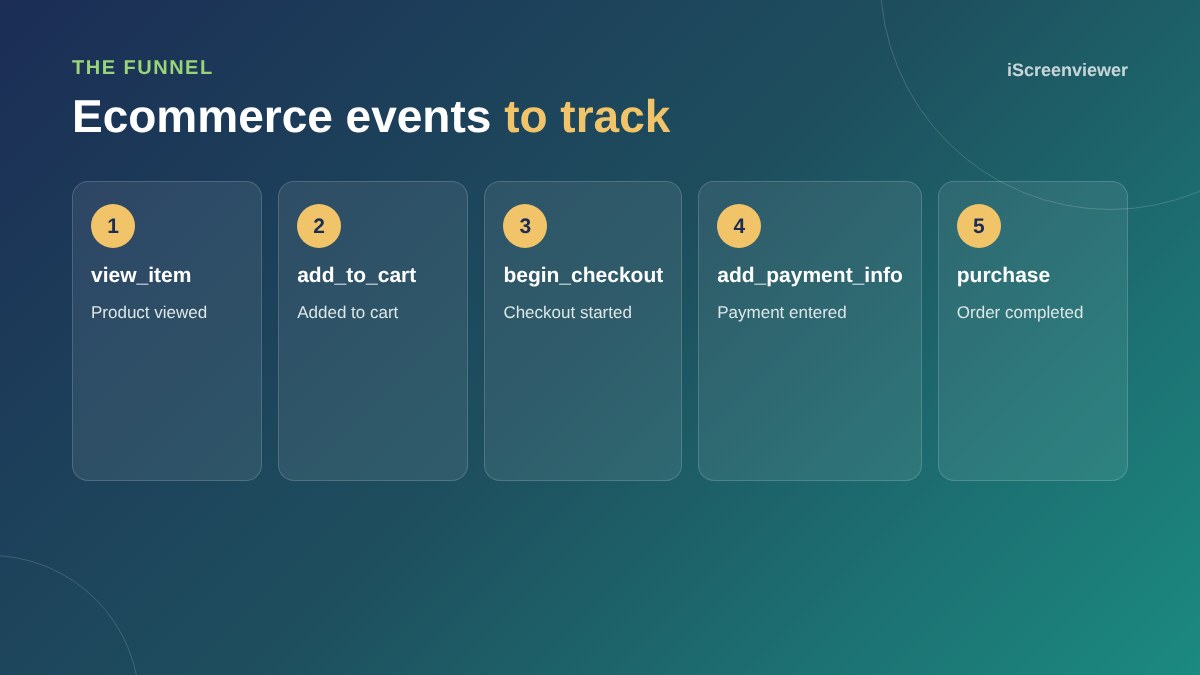
At minimum view_item, add_to_cart, begin_checkout and purchase, with item details and value.
Does Shopify track GA4 ecommerce automatically?
Yes, when you connect GA4 through the Google and YouTube app.
How do I set up GA4 on WooCommerce?
Use Google for WooCommerce, or Google Tag Manager with a data layer plugin and GA4 event tags.
Why does GA4 revenue not match my store?
Common causes are duplicate tags, refunds, test orders, ad blockers and consent settings.
What is a key event in GA4?
GA4's name for a conversion, such as a purchase or enquiry.
How do I test GA4 ecommerce tracking?
Use DebugView in GA4 while you browse and place a test order.