

WordPress powers a huge share of business websites in Australia. It's flexible and easy to update, but small problems can appear at the worst times, often after a plugin update, a theme change or a hosting move.
A contact form stops sending emails. The mobile layout suddenly breaks. A page loads slowly or headings look wrong. These issues are usually fixable, but they can cost enquiries while they're left unresolved.
This guide covers common WordPress problems and how to fix them, what to check first and when it's worth getting a developer to help.
Quick Answer: What Are the Most Common WordPress Problems?
The most common WordPress problems are contact forms not sending emails, broken mobile layouts, plugin conflicts after updates, slow page speed, heading and formatting issues, and errors such as the "critical error" message. Most can be fixed by checking recent updates, testing plugins, setting up reliable email delivery and reviewing theme settings. Always back up your website before making changes.
| Problem | Common cause | First thing to check |
|---|---|---|
| Contact form not sending | Server email not delivered | Set up SMTP email sending |
| Broken mobile layout | Theme or page builder settings | Responsive settings and recent changes |
| Plugin conflict | Incompatible updates | Recently updated plugins |
| Slow website | Large images, too many plugins, hosting | Image sizes and unused plugins |
| Heading or formatting issues | Editor or theme styles | Block settings and theme typography |
| Critical error message | PHP error from a plugin or theme | Error logs and recovery mode email |
1. WordPress Contact Form Not Sending Emails
This is one of the most common WordPress problems. The form appears to submit, but the email never arrives.
It's usually caused by WordPress sending email through the web server, which many email providers treat as untrustworthy or block entirely.
How to fix it:
- Set up an SMTP plugin to send email through a proper email service, such as your Microsoft 365 or Google Workspace account or a transactional email provider.
- Check that the form's "from" address uses your own domain.
- Make sure your domain's SPF, DKIM and DMARC records are correct.
- Check spam and junk folders.
- Send a test submission after every change.
2. Broken Mobile Layout
A page that looks fine on desktop may have overlapping text, oversized images or broken columns on mobile.
How to fix it:
- Check the responsive or mobile settings in your theme or page builder.
- Look for fixed widths or large spacing values that don't scale.
- Review recent changes to the page or theme.
- Test on real devices, not just a resized browser window.
3. Plugin Conflicts After Updates
Updating WordPress, a theme or a plugin can sometimes cause features to stop working, or produce errors.
How to fix it:
- Identify which plugins were updated most recently.
- Test by temporarily deactivating plugins one at a time on a staging site.
- Check the plugin's support forum or changelog for known issues.
- Roll back to a previous version or restore a backup if needed.
Always back up your site before updating, and test updates on a staging copy where possible.
4. Slow WordPress Website
A slow website frustrates visitors and can affect search performance.
How to fix it:
- Compress and resize large images.
- Remove plugins you don't use.
- Use a caching plugin or your host's caching.
- Check whether your hosting plan suits your traffic.
- Test pages with Google PageSpeed Insights.
A content delivery network such as Cloudflare can also help with speed and security. Read why use Cloudflare to secure your website.
5. Heading and Formatting Issues
Headings in the wrong size, inconsistent fonts or odd spacing can make pages look unprofessional. Incorrect heading structure also makes pages harder for search engines and screen readers to understand.
How to fix it:
- Use one H1 per page, followed by H2 and H3 headings in order.
- Check heading styles in your theme's typography settings.
- Remove inline formatting pasted from Word or Google Docs.
6. "There Has Been a Critical Error on This Website"
This message usually means a PHP error from a plugin, theme or custom code.
How to fix it:
- Check your admin email for WordPress's recovery mode link.
- Review the error logs in your hosting control panel.
- Deactivate the plugin or theme causing the error.
- Restore a recent backup if the site can't be recovered quickly.
When to Get Help From a Developer
Some WordPress fixes are quick if you know where to look. Others can take hours of trial and error, or make things worse if the wrong setting is changed on a live website.
It's worth getting help when:
- The issue affects enquiries, sales or bookings.
- You're not comfortable working in hosting or code.
- The website has no recent backup.
- The problem keeps coming back.
Get One WordPress Issue Fixed for a Fixed Price
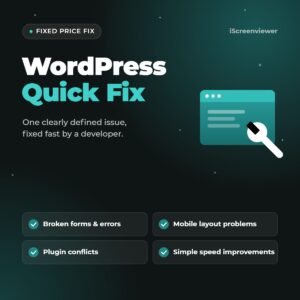
My WordPress Quick Fix covers one clearly defined issue on your WordPress website for a fixed price of A$199.
Examples include a broken contact form, a mobile layout problem, heading or formatting issues, a plugin conflict or a simple speed improvement. I check the fix on desktop and mobile before handing it back and send a short summary of what was changed.
Before starting, I confirm that the issue fits the 1 to 2 hour scope. Larger fixes are quoted separately.
Not sure what's wrong with your website's search performance? See the SEO and analytics health check or browse all fixed-price website packages.
Related Articles
- Fixed-Price Website Packages for Shopify, WooCommerce and WordPress
- Black Friday Checklist for Shopify and WooCommerce Stores
- How to Get Your Shopify Store Ready for Christmas 2026
- How to Schedule a Boxing Day Sale on Shopify or WooCommerce
- SEO and Analytics Health Check: 10 Signs Your Website Needs an Audit
- How to Write Product Listings That Rank on Google
- Website Hosting for Small Business: A Plain-English Guide
- Why Use Cloudflare to Secure Your Website?
Frequently Asked Questions About WordPress Problems
Why is my WordPress contact form not sending emails?
Usually because WordPress sends email through the web server, which many email providers block or mark as spam. Setting up SMTP and correct SPF, DKIM and DMARC records normally fixes it.
How do I find which plugin is causing a problem?
Deactivate plugins one at a time on a staging site and test after each one. The problem usually stops when the conflicting plugin is deactivated.
Is it safe to update WordPress plugins?
Updates are important for security, but always back up your website first and test updates on a staging copy where possible, particularly for major updates.
Why is my WordPress website slow?
Common causes include large images, too many plugins, no caching and underpowered hosting. A speed test helps identify the biggest issues.
What does "There has been a critical error on this website" mean?
It means WordPress hit a PHP error, usually caused by a plugin, theme or custom code. Check for a recovery mode email, review error logs and deactivate the cause.
How much does it cost to fix a WordPress website?
Small, clearly defined issues can often be fixed for a fixed price, such as my A$199 WordPress Quick Fix. Larger or ongoing problems are quoted separately based on the work needed.