

Black Friday is now one of the biggest online shopping days of the year in Australia. In 2026, Black Friday falls on Friday 27 November, followed by Cyber Monday on Monday 30 November.
For Shopify and WooCommerce store owners, that means a short window to plan the sale, set up discounts, update products and make sure the checkout works on every device.
Leaving it until the last minute is risky. A discount code that doesn't apply, a broken banner link or a slow mobile checkout can cost sales on the busiest day of your year.
This Black Friday checklist for Shopify and WooCommerce stores covers what to prepare, when to do it and the mistakes to avoid.
Quick Answer: How Do You Get Your Store Ready for Black Friday?
To get a Shopify or WooCommerce store ready for Black Friday, decide your offer and dates early, create a dedicated sale collection, set up and test your discount, add a clear sale banner, update SEO on your key sale products, check the mobile checkout and plan how the sale will end. Aim to have everything set up and tested at least a few days before Black Friday.
| Task | When to do it |
|---|---|
| Decide your offer, products and dates | 3 to 4 weeks before |
| Check stock levels and shipping times | 3 weeks before |
| Create the sale collection or category | 2 weeks before |
| Set up and test the discount | 1 to 2 weeks before |
| Add the sale banner and update product SEO | 1 week before |
| Test checkout on mobile and desktop | 2 to 3 days before |
| Schedule or plan removal of sale messaging | Before the sale starts |
1. Decide Your Offer and Sale Dates
Start with the offer itself. Common Black Friday offers include:
- A percentage off sitewide or on selected collections.
- A fixed dollar amount off orders over a certain value.
- Free shipping above a threshold.
- Buy one, get one offers or bundles.
- A gift with purchase.
Decide whether your sale runs only on Black Friday, through Cyber Monday, or across the whole week. Many Australian stores now run a "Black Friday week" to spread out demand.
Be careful with pricing claims. Under Australian Consumer Law, "was" prices and discount claims must be genuine, so avoid inflating regular prices before the sale.
2. Check Stock and Shipping
Make sure you have enough stock of your sale products, and that inventory levels in Shopify or WooCommerce are accurate.
Review your shipping settings and delivery times too. If customers are buying Christmas gifts, they'll want to know when orders will arrive. Clear delivery information on product and cart pages can reduce support emails and abandoned carts.
3. Create a Dedicated Sale Collection
A dedicated Black Friday collection or category makes it easy for customers to see every discounted product in one place.
On Shopify, create a manual or automated collection for sale products. On WooCommerce, create a product category or use a sale products page.
Give the collection a clear title, a short description and link to it from your home page banner and main menu.
4. Set Up and Test Your Discount
This is where most Black Friday problems happen.
On Shopify, you can create discount codes or automatic discounts with start and end dates, minimum order values and eligible products or collections.
On WooCommerce, you can create coupons with usage restrictions and expiry dates, or set scheduled sale prices on individual products.
Before the sale, test:
- That the discount applies to the right products and not others.
- That minimum spend rules work correctly.
- How the discount combines with other offers.
- The final price in the cart and at checkout.
- The discount on mobile as well as desktop.
5. Add a Clear Sale Banner
Your home page banner should tell visitors immediately what the offer is and where to find it.
A good Black Friday banner includes:
- The offer, such as "Up to 40% off" or "20% off sitewide".
- The sale dates or an end date.
- A clear button linking to the sale collection.
- Text that's readable on mobile screens.
Avoid banners that rely on small text inside an image, which can be hard to read on phones and isn't accessible.
6. Update SEO on Your Key Sale Products
Shoppers search for specific products with terms like "black friday" or "sale". Updating the SEO on your most important sale products can help them appear in search results and look more appealing when shared.
Review:
- Product titles and SEO page titles.
- Meta descriptions that mention the offer where appropriate.
- Image alt text describing the product.
Remember to update or remove sale wording once the promotion ends. My Shopify SEO checklist covers product SEO in more detail.
7. Test the Mobile Checkout
Most Black Friday shoppers browse on their phones. Test the full buying process on a real mobile device:
- Can customers find the sale collection quickly?
- Do product images and variant selectors work?
- Does the discount apply correctly in the cart?
- Do payment methods such as Afterpay, PayPal, Apple Pay and Google Pay work?
- Is the checkout fast and free of errors?
8. Prepare Your Website for Extra Traffic
Black Friday traffic can be several times higher than normal. Shopify handles hosting automatically, but WooCommerce stores depend on their hosting.
For WooCommerce stores, check your hosting plan, caching and security. A service such as Cloudflare can help protect your store and keep it fast under load. Read why use Cloudflare to secure your website.
9. Plan How the Sale Ends
Once Black Friday or Cyber Monday is over, sale messaging needs to come down. Leaving a "Black Friday sale" banner up in December looks out of date and can confuse customers.
Set an end date on your discount, schedule changes where your platform supports it, or set a reminder to remove the banner and update product SEO.
Common Black Friday Mistakes to Avoid
- Setting up the discount on the day the sale starts.
- Not testing the discount on every product type and variant.
- Banners linking to the wrong collection or a 404 page.
- Sale wording left on the website weeks after the sale.
- Ignoring mobile users.
- Running out of stock without updating inventory.
Want Your Store Set Up for You?

If you'd rather not spend November setting up sale banners and discount codes, my Black Friday Ready Package does it for you for a fixed price of A$399.
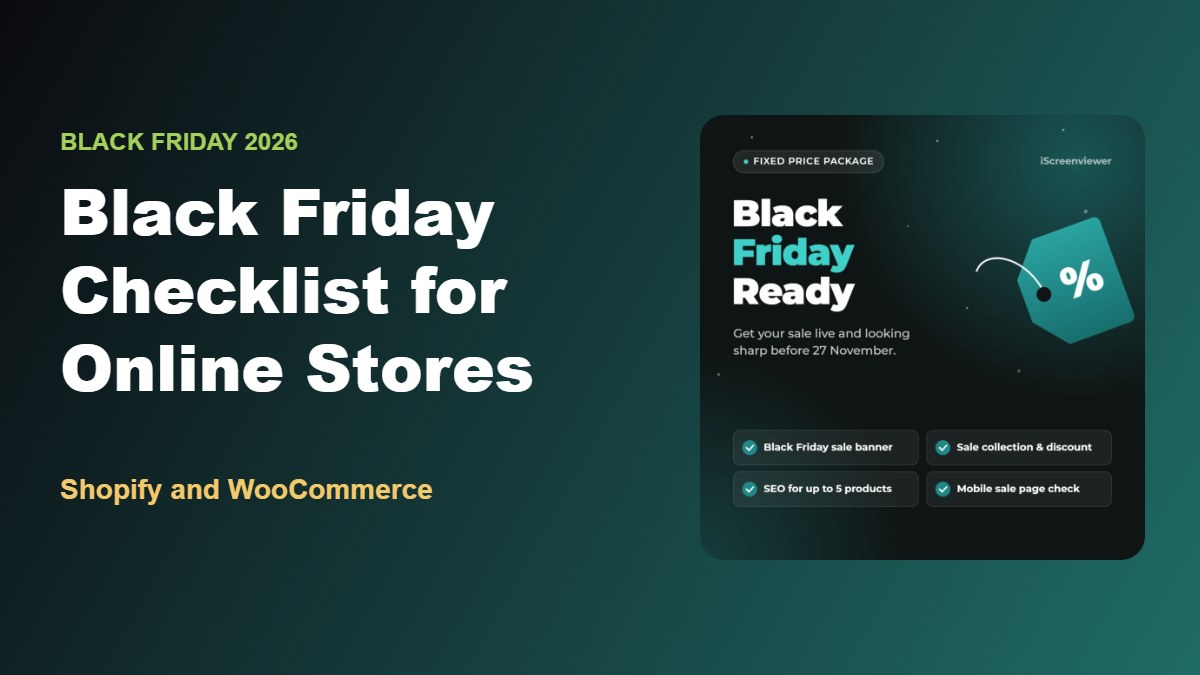
It includes a Black Friday or Cyber Monday sale banner, one sale collection or category with a tested discount, SEO updates for up to 5 sale products, a mobile check of your home page, sale collection and checkout, and scheduling or a reminder to remove sale messaging when the sale ends.
It works for both Shopify and WooCommerce stores. Order by 24 November to have your store ready in time.
View the Black Friday Ready Package
Planning beyond Black Friday? See the Shopify Christmas Ready Package and Boxing Day Sale Ready Package, or browse all fixed-price website packages.
Related Articles
- Fixed-Price Website Packages for Shopify, WooCommerce and WordPress
- How to Get Your Shopify Store Ready for Christmas 2026
- How to Schedule a Boxing Day Sale on Shopify or WooCommerce
- SEO and Analytics Health Check: 10 Signs Your Website Needs an Audit
- How to Write Product Listings That Rank on Google
- Common WordPress Problems and How to Fix Them
Frequently Asked Questions About Black Friday for Online Stores
When is Black Friday 2026 in Australia?
Black Friday 2026 is on Friday 27 November, and Cyber Monday is on Monday 30 November. Many Australian retailers run their sales across the whole week or weekend.
How early should I set up my Black Friday sale?
Plan your offer three to four weeks ahead and have the discount, banner and sale collection set up and tested at least a few days before the sale starts.
Should I use a discount code or an automatic discount?
Automatic discounts are simpler for customers because they don't need to enter a code. Discount codes are useful for email subscribers or social media audiences. Many stores use an automatic discount for the main sale and codes for special offers.
Can I schedule a Black Friday sale on Shopify?
Yes. Shopify discounts can have start and end dates. Scheduling theme changes such as banners usually needs an app or a manual update, depending on your plan.
Can I schedule a sale on WooCommerce?
Yes. WooCommerce lets you schedule sale prices on individual products and set expiry dates on coupons. Scheduling banner changes may need a plugin or a manual update.
Do Black Friday sales help SEO?
A sale won't directly improve rankings, but well-optimised sale products and collections can attract more search traffic and clicks during the sale period.