

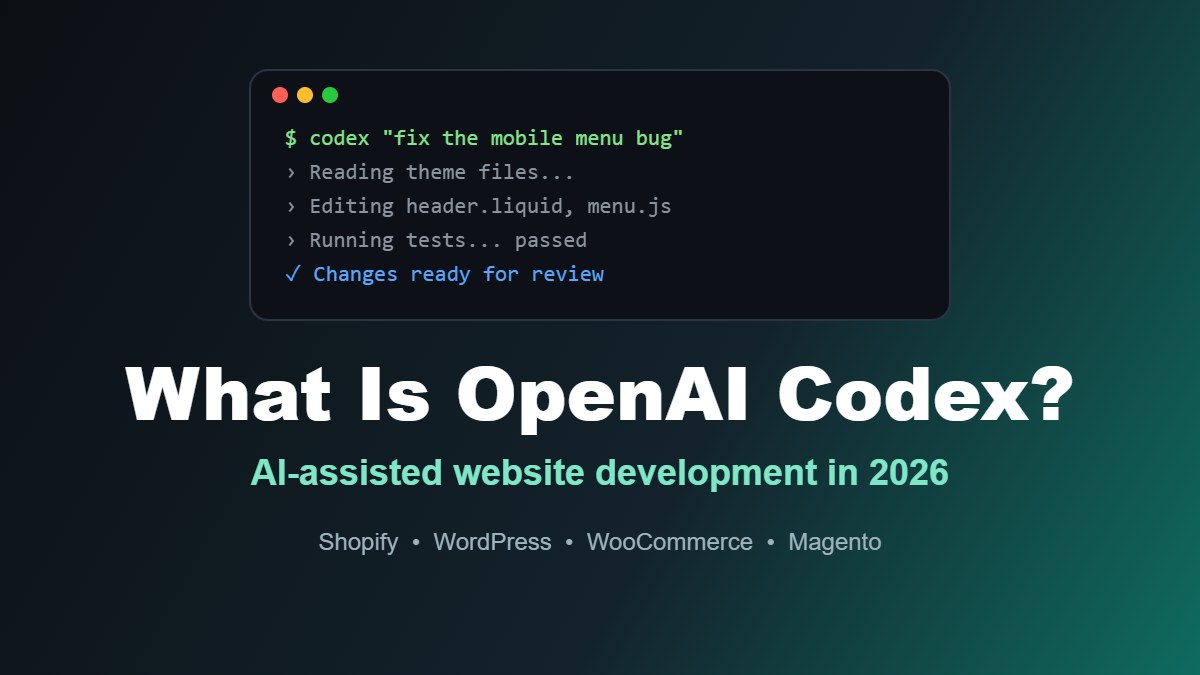
AI coding tools have moved well beyond autocomplete. Tools like OpenAI Codex can now read an entire website project, plan a change, edit multiple files, run tests and prepare the work for review.
For Australian businesses with a Shopify store, WordPress website or custom web application, that raises practical questions. Can Codex speed up website development? Can it fix bugs or build new features? And how much should you trust it with a live website?
In this guide, I'll explain what OpenAI Codex is, how it works and how it can be used for website development in 2026, along with its limitations and the safeguards I recommend before letting any AI agent work on a business website.
Quick Answer: What Is OpenAI Codex?
OpenAI Codex is an AI coding agent that can write, edit, review and test code. It works through ChatGPT on the web, a desktop app, a command-line tool and code editor extensions. For website development, Codex can help build features, fix bugs, update themes and templates, write tests and review code changes. It works best when a developer gives it clear instructions, runs it on a copy of the website and reviews every change before it goes live.
| Codex can help with | Still needs a developer |
|---|---|
| Writing and editing code across multiple files | Deciding what should be built and why |
| Fixing bugs and explaining errors | Reviewing changes for accuracy and security |
| Building theme sections, templates and components | Testing on real devices and browsers |
| Writing tests and documentation | Deploying safely to a live website |
| Reviewing pull requests for issues | Managing hosting, credentials and backups |
What Is OpenAI Codex?
Codex is OpenAI's AI agent for software development. It was first released as an open-source command-line tool in April 2025, followed by a cloud-based version inside ChatGPT.
Unlike a chatbot that only suggests code snippets, Codex can work directly with a project's files. It can read the codebase, make changes, run commands and present the result as a set of code changes for review.
By early 2026, Codex had grown to more than two million weekly users and expanded to include a desktop app and Codex Security, an agent focused on finding and fixing security vulnerabilities.
The name isn't new. OpenAI previously used "Codex" for an earlier code-generating language model that powered the original GitHub Copilot. Today's Codex is a much more capable agent built on OpenAI's latest models.
How Can You Use Codex?
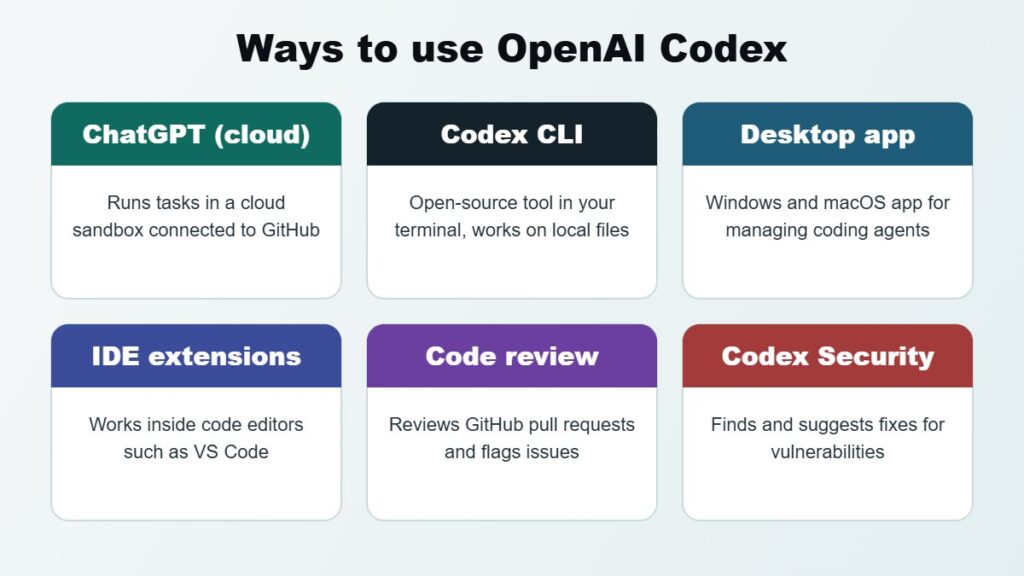
Codex is available in several ways, so developers can use it in the environment that suits them.
Codex in ChatGPT (Cloud)
Through ChatGPT, Codex can work on tasks in a secure cloud environment connected to a code repository, such as GitHub. You describe the task, Codex works on it in the background, and you review the proposed changes.
This is useful for running several tasks at once, such as fixing a bug while another task writes documentation.
Codex CLI
The Codex CLI is an open-source tool that runs in a terminal on the developer's own computer. It can read local project files, edit code and run commands, with approval settings that control what it is allowed to do without asking.
Codex Desktop App and IDE Extensions
Codex also has a desktop app for Windows and macOS, and extensions for popular code editors such as Visual Studio Code. These let developers work with Codex alongside their existing tools.
Code Review
Codex can review pull requests on GitHub, flag potential bugs and suggest improvements before code is merged.
How Much Does Codex Cost?
Codex is included with paid ChatGPT plans, including Plus, Pro, Business, Edu and Enterprise, with usage limits that vary by plan. Developers can also use Codex through the OpenAI API, which is billed based on usage.
Because plans, limits and credits change regularly, check OpenAI's current pricing before choosing a plan.
For most small business websites, the bigger cost isn't the subscription. It's the developer time needed to plan the work, review the output and test it properly.
1. Building Website Features Faster
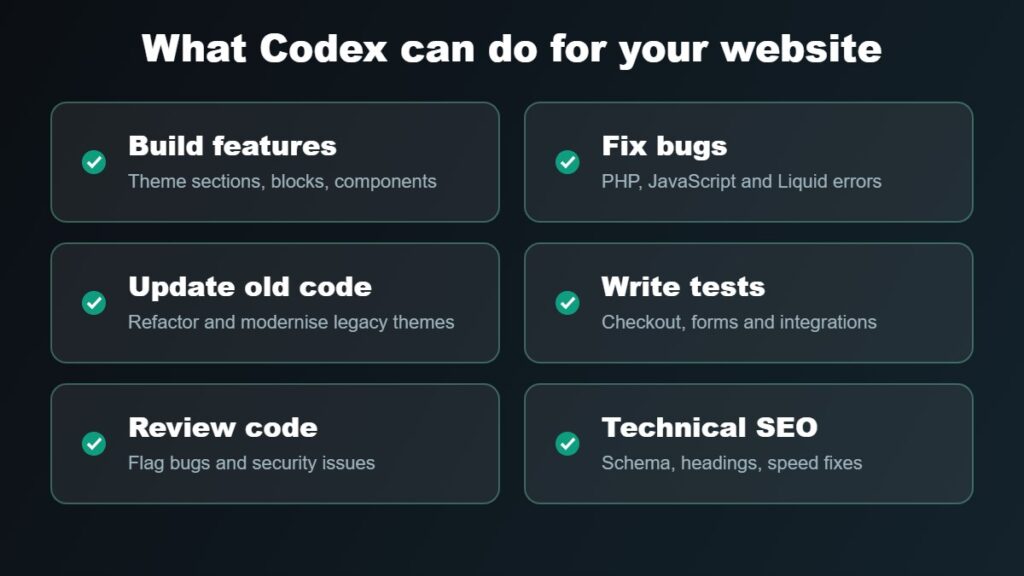
Codex can speed up routine development tasks that would otherwise take hours.
For example, a developer might ask Codex to:
- Build a new Shopify theme section for product FAQs using metafields.
- Create a custom WordPress block for testimonials.
- Add a WooCommerce shipping notice based on cart value.
- Convert a static HTML design into a reusable template.
- Build a responsive comparison table component.
Codex can produce a working first version quickly. A developer then reviews it, adjusts the design and makes sure it fits the rest of the website.
2. Fixing Bugs and Explaining Errors
Website bugs often take longer to find than to fix.
Codex can read error messages, logs and related files, then suggest or apply a fix. It can also explain what's causing the problem, which is useful when working on an unfamiliar or older codebase.
Common examples include:
- PHP errors after a WordPress or plugin update.
- JavaScript errors breaking a menu or cart drawer.
- Broken layouts on mobile devices.
- Shopify Liquid errors in theme templates.
- Failing builds after a dependency update.
3. Updating and Maintaining Older Websites
Many business websites run on older code that few people fully understand.
Codex can help map how an older theme or application works, identify outdated code and update it to suit newer platform versions. For example, it can help upgrade custom code for a newer PHP version or refactor an older Shopify theme section.
This is particularly useful before a redesign. Read my guide on signs your Shopify store needs a redesign for more on when to update and when to rebuild.
4. Writing Tests and Documentation
Many small business websites have no automated tests and very little documentation. That makes every change riskier.
Codex can write tests for important functions, such as checkout calculations, form validation or custom integrations. It can also document how custom features work, so future developers can maintain them more easily.
5. Reviewing Code for Bugs and Security Issues
Codex can review proposed changes and flag potential problems, such as missing input validation, logic errors or risky database queries.
Codex Security goes further by scanning projects for vulnerabilities and suggesting fixes.
AI review is a useful extra check, but it doesn't replace a proper security process. For platform-specific advice, read my guides on securing your Magento website and using Cloudflare to protect your website.
6. Improving Technical SEO and Performance
Codex can help with the technical side of SEO and website speed, including:
- Adding or fixing structured data (schema).
- Improving heading structure in templates.
- Adding missing image alt attributes to theme code.
- Reducing unused JavaScript and CSS.
- Lazy loading below-the-fold images.
- Fixing layout shift caused by images without dimensions.
These changes still need to be tested with tools such as Google PageSpeed Insights and Google Search Console. See my Shopify SEO checklist for a broader view of eCommerce SEO.
The Limitations of Codex
Codex is impressive, but it isn't a replacement for an experienced developer. It's important to understand its limits before using it on a business website.
It Can Be Confidently Wrong
Codex can produce code that looks correct but contains subtle bugs, uses outdated methods or misunderstands the business requirement. Every change needs to be reviewed.
It Doesn't Know Your Business
Codex doesn't know your customers, pricing rules, shipping arrangements or brand guidelines unless you tell it. Vague instructions lead to generic results.
It Can Introduce Security Problems
AI-generated code can include insecure patterns, such as missing validation or exposed data. It's also important not to give an AI agent access to production passwords, payment credentials or customer data it doesn't need.
It Can't Fully Test the Real Experience
Codex can run automated tests, but it can't judge how a design feels, check every real device or understand how customers actually use your website.
Platform Restrictions Still Apply
Codex can't bypass platform limits. For example, some Shopify checkout customisations depend on your plan, and some hosted platforms restrict what code can be changed.
How to Use Codex Safely on a Business Website
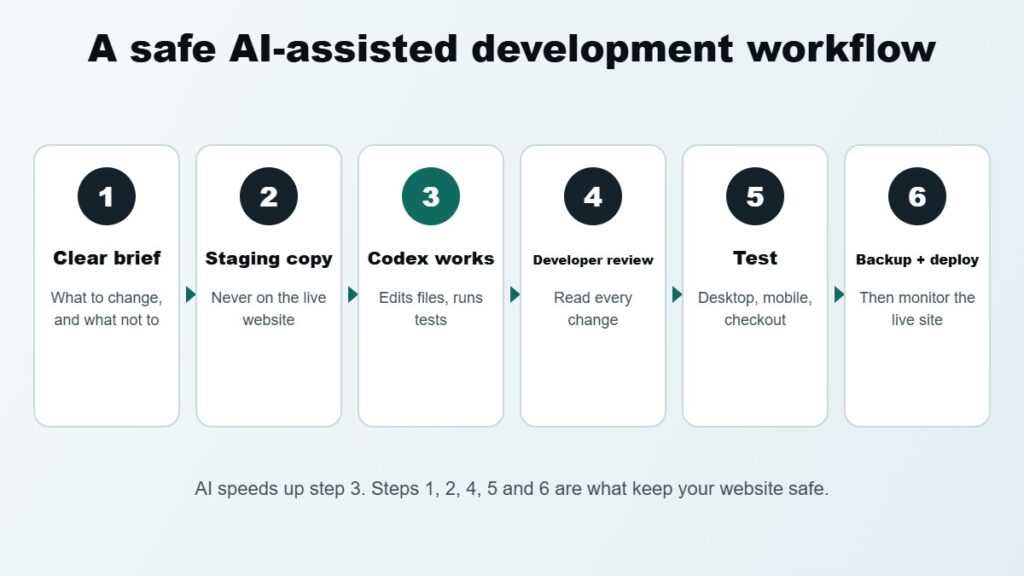
If you or your developer use Codex on your website, these safeguards help avoid problems.
Never Work Directly on the Live Website
Use a staging site, development copy or unpublished Shopify theme. Codex should never make changes directly to a live store.
Use Version Control
Keep website code in Git. Every change Codex makes can then be reviewed, compared and reverted if needed.
Give Clear, Specific Instructions
Explain what needs to change, which files are involved, what should not change and how success will be measured. Specific instructions produce much better results.
Review Every Change
Read the code changes before accepting them. Check that the change does what was asked and nothing else.
Test Before Deploying
Test on desktop and mobile, check forms, cart and checkout, and run any automated tests before publishing.
Protect Credentials and Customer Data
Don't paste passwords, API keys or customer information into prompts. Use limited test accounts and sample data wherever possible.
Keep Backups
Make sure you have a recent backup of the website and database before deploying any change, whether it was written by a person or an AI agent.
Codex vs Other AI Coding Tools
Codex is one of several AI coding agents available in 2026. Others include Anthropic's Claude Code, GitHub Copilot and Cursor.
They share many capabilities, such as editing multiple files, running commands and reviewing code. The differences are mainly in the underlying models, pricing, integrations and how each tool fits into a developer's workflow.
For most businesses, the tool matters less than the process around it. Clear requirements, version control, code review and proper testing are what keep a website reliable.
If you're interested in using AI to help manage an online store rather than its code, read my guide on how to use Claude AI with Shopify.
Should Small Businesses Use Codex Themselves?
Codex is primarily a developer tool. Business owners without coding experience can use it for simple tasks, but there's a real risk of breaking a website or introducing security issues without understanding the changes.
For most small businesses, the best approach is to work with a developer who uses AI tools like Codex to work faster, while still taking responsibility for planning, reviewing, testing and deploying the work.
This can reduce development time and cost without compromising quality.
If you're still choosing a platform for a new store, read my comparison of Shopify vs WooCommerce.
Frequently Asked Questions About OpenAI Codex
What is OpenAI Codex used for?
Codex is used for software development tasks such as writing new code, fixing bugs, refactoring older code, writing tests, explaining codebases and reviewing pull requests. For websites, it can help with themes, templates, plugins, integrations and technical SEO.
Is OpenAI Codex free?
Codex is included with paid ChatGPT plans such as Plus, Pro, Business, Edu and Enterprise, with usage limits that depend on the plan. API usage is billed separately. Check OpenAI's pricing page for current details.
Can Codex build a whole website?
Codex can generate a basic website or application, but a professional business website also needs planning, design, content, SEO, hosting, security, testing and ongoing maintenance. Codex is best used to speed up parts of the build rather than replace the whole process.
Can Codex work with Shopify and WordPress?
Yes. Codex can work with Shopify Liquid themes, WordPress themes and plugins, WooCommerce customisations and other web code, as long as it has access to the project files. Changes should be tested on an unpublished theme or staging site first.
Is Codex safe to use on my website?
It can be, when it's used carefully. Work on a copy of the website, keep code in version control, avoid sharing sensitive credentials or customer data, and review and test every change before it goes live.
Is Codex better than Claude Code?
Both are capable AI coding agents with similar core features. The better choice depends on the project, the developer's workflow, preferred models and pricing. Many developers try both and use the one that suits their work best.
Will AI tools like Codex replace web developers?
AI tools are changing how developers work, but they don't replace the need for someone to understand the business, make decisions, check the output and take responsibility for the result. They allow skilled developers to deliver more in less time.
Final Thoughts: Is Codex Worth Using for Website Development?
OpenAI Codex is a genuinely useful tool for website development. It can speed up feature builds, help diagnose bugs, modernise older code and add an extra layer of code review.
The key is how it's used. With clear instructions, a staging environment, version control and careful review, Codex can help deliver website improvements faster and more cost-effectively.
Without those safeguards, it can just as easily introduce bugs or security issues.
For Australian businesses, the most practical approach is to work with a developer who uses AI tools responsibly, combining the speed of AI with human judgement and testing.
Need Help With AI-Assisted Website Development?
At iScreenviewer, I use modern development tools, including AI coding agents, to help Australian businesses build, improve and maintain their websites more efficiently.
Every change is planned, reviewed and tested by me before it reaches your live website.
How I Can Help
- Shopify theme development and customisation.
- WordPress and WooCommerce development.
- Magento maintenance and upgrades.
- Bug fixing and website troubleshooting.
- Technical SEO and performance improvements.
- Website security and Cloudflare setup.
- AI integration for eCommerce workflows.
- Ongoing website support and maintenance.
You work directly with the developer completing your project, with clear communication throughout.
Explore iScreenviewer Website Development Services
Contact iScreenviewer to Discuss Your Project
Fixed-Price Packages That Can Help

Prefer to have it done for you? These fixed-price packages cover the work in this guide, with no hourly billing:
- Shopify Quick Fix: A$199
- WordPress Quick Fix: A$199
- Website Support and Maintenance: 6 Months: A$1,199
Not sure which one you need? Book a free website consultation or request a custom quote.